What is By quantity: quantity breaks, N×M and buy X get Y
The bundle that rewards quantity with automatic discounts at checkout.
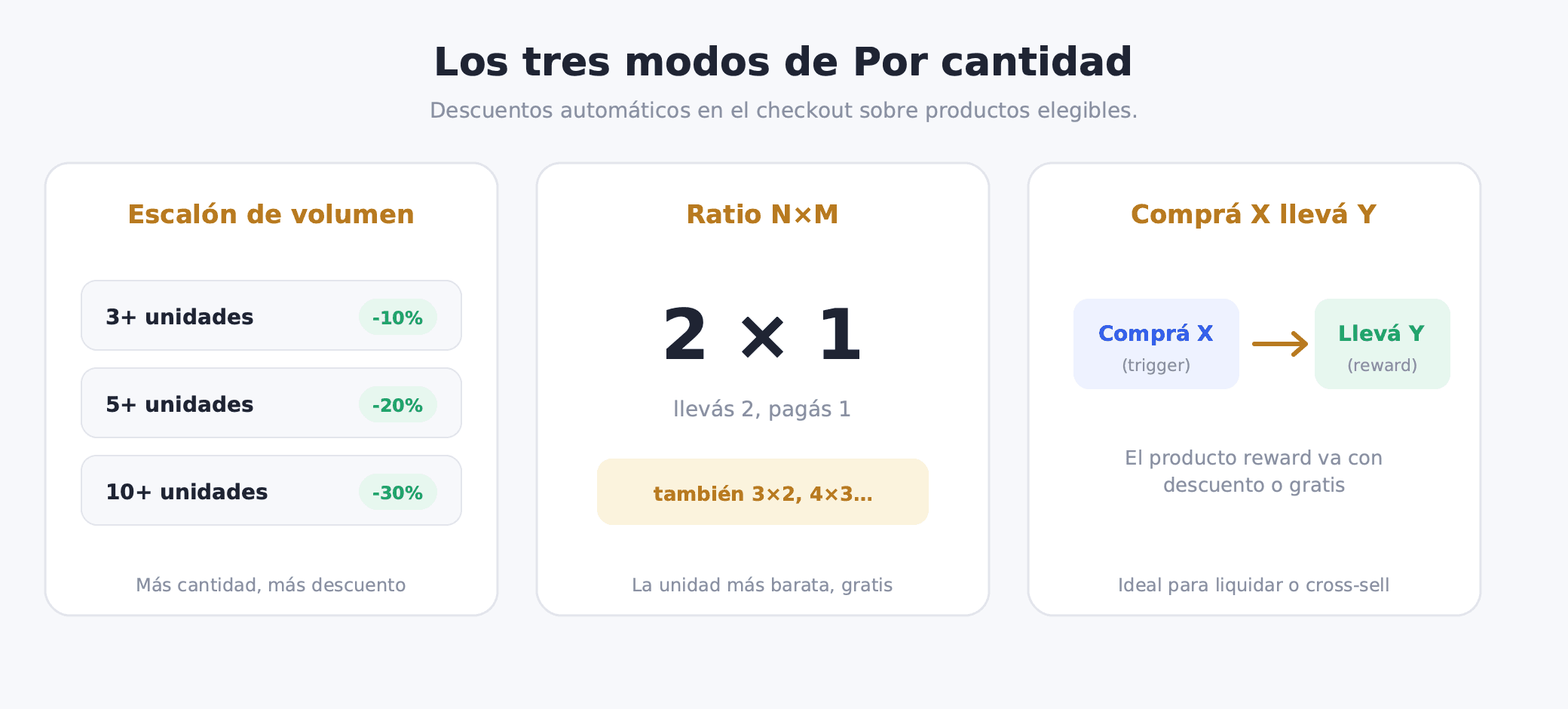
When you think about product bundles, you probably picture a storefront experience where the customer picks what to include in their package. Combos By quantity works differently. There is no selector on the product page, no "build your bundle" widget. The customer shops normally, and the discount appears automatically at checkout when the qualifying quantity is met. That makes Combos By quantity a price incentive tool, not a product configurator.
How Combos By quantity differs from Kit and Combos
Kit and Combos bundles have a storefront presence — the customer sees the offer, selects which products to include, and actively builds the bundle. Combos By quantity has none of that. The discount is fully automatic. The customer does not interact with any Bundle widget on the product page. They simply add units to their cart, reach checkout, and see the discount applied.
That makes Combos By quantity the right choice when you want to reward the customer's natural buying behavior without interrupting their flow. You are not asking them to "build" anything. They just buy more, and the price drops on its own.
When Combos By quantity makes sense
Combos By quantity works well in concrete scenarios:
- Moving volume on a specific product (seasonal basics, consumables)
- Clearing stock without publicly adjusting list prices
- Rewarding repeat buyers who already have a habit of buying in quantity
- Seasonal promotions like "buy 3 t-shirts, get 30% off"
- Wholesale-style pricing for customers who order in volume
- Traditional 2×1 and 3×2 deals for consumable products
- Loyalty rewards or cross-sell offers (buy product A, get product B at a discount)
How Combos By quantity works
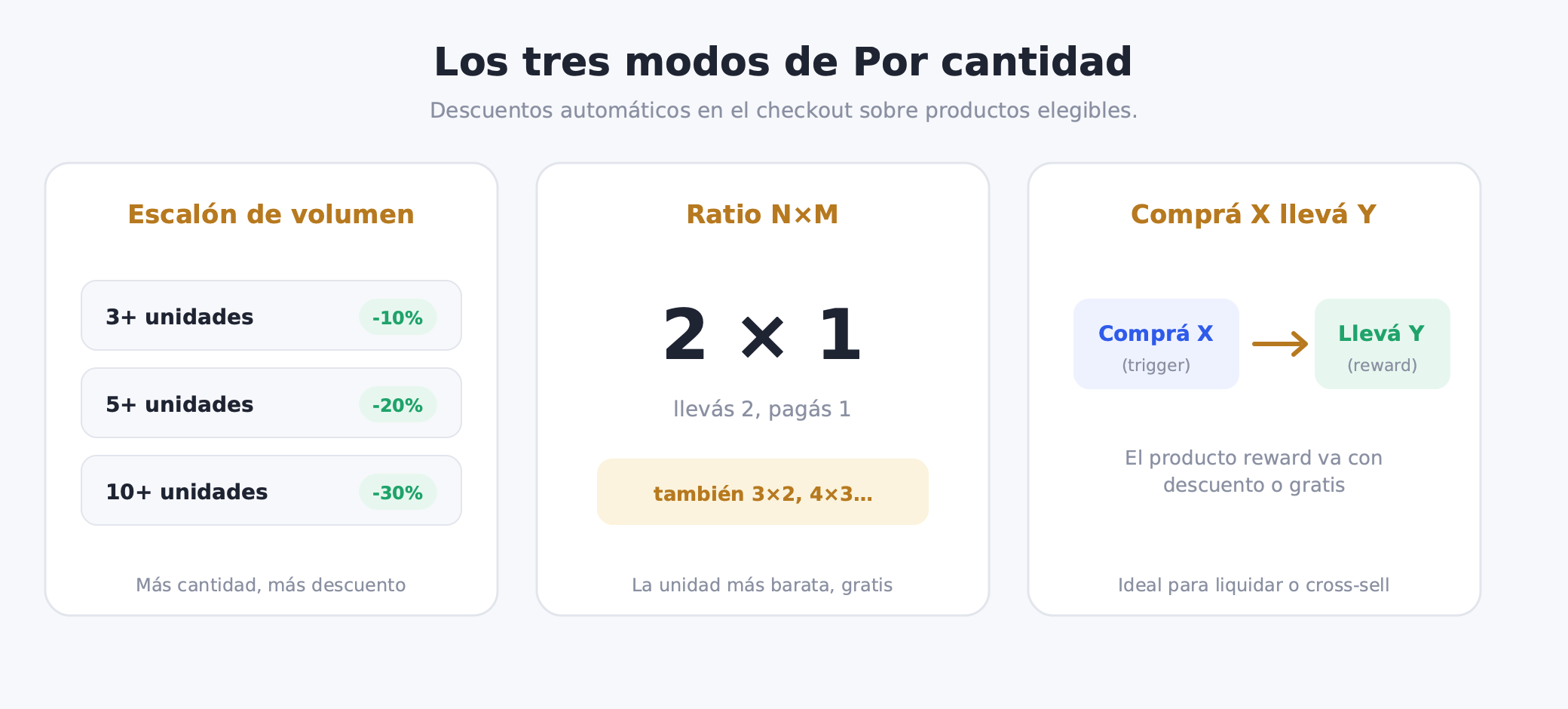
Eligible products are defined inside the By quantity configuration. When the customer's cart reaches the configured threshold, the discount is applied automatically at checkout. The customer sees no Bundle widget on the product page — the experience is transparent until the moment of payment.
There are three operating modes. Each one is suited to a different use case.
Mode 1: Volume tiers
Volume tiers apply a discount based on quantity. You configure between 2 and 6 tiers, each with an increasing minimum quantity, a discount type (percentage or fixed amount), and the discount value.
A typical example for a supplements or apparel basics store:
| Minimum quantity | Discount |
|---|---|
| 3 units | 10% |
| 5 units | 20% |
| 10 units | 30% |
The customer adds 5 units to their cart. At checkout, the system detects they qualify for the second tier and applies a 20% discount to those units. If they add another unit and reach 6, they stay in the same tier until they hit 10.
This mode works especially well for consumables (supplements, beauty products, food) and apparel basics (t-shirts, socks, underwear) where the customer may naturally want multiple units.
Mode 2: N×M ratio
The N×M ratio is the traditional Combos By quantity format. The logic is simple: the customer buys N units and pays for M. The cheapest eligible item in the cart receives the discount.
Concrete examples:
- 2×1: buy 2, the cheapest goes free
- 3×2: buy 3, pay for 2 (cheapest goes free)
- 4×3: buy 4, pay for 3
The ratio is configured once. The system automatically identifies which eligible item is the cheapest in the cart and applies the corresponding discount.
Use cases: traditional 2×1 promotions, clearing paired SKUs, rewarding volume buyers. Works well for fashion (t-shirts, socks, footwear), cosmetics (serums, sunscreen, lip balm), and any product where the customer naturally wants more than one unit.
Mode 3: Buy X get Y
This mode works differently from the first two. Instead of a discount on more units of the same product, there are trigger products and reward products.
The customer buys a trigger product — or a specific quantity of them — and that unlocks a reward product at a discount or free of charge.
Example: buy a jacket (trigger) and get a t-shirt (reward) at 50% off. Or: buy 3 t-shirts (trigger) and get a cap (reward) free.
You can also use a landing product to communicate something like free shipping, instead of a specific reward product. This is useful when the incentive is a logistical benefit rather than a concrete item.
Use cases: cross-sell (introducing complementary products), upsell, gift-with-purchase, launching new products as a reward for an existing purchase, clearing specific excess inventory.
Eligible products and priority
Combos By quantity applies only to the products you configure as eligible. You can lock specific variants or allow all of them depending on what the combo requires.
If you have multiple active By quantity offers and their eligible products overlap in the same cart, the priority setting determines which one applies. The lower priority number wins. This gives you control when running multiple promotions simultaneously.
Combos By quantity vs. Kit and Combos
It is useful to understand when to use each bundle type:
-
Kit and Combos: they have a storefront widget. The customer sees the offer, selects which products to include, and actively builds the bundle. The "build a package" experience is visible on the product page.
-
Combos By quantity: no widget, no configurator. The discount is invisible until checkout. It rewards the customer's natural buying behavior — if they were already going to buy multiple units, the discount just appears.
They are complementary. A store can have a Kit for a starter pack and a volume By quantity offer active at the same time, on different products, serving different purposes. For a more detailed comparison of all bundle types, see the post on which bundle to use for your use case.
How to set it up in Bundle
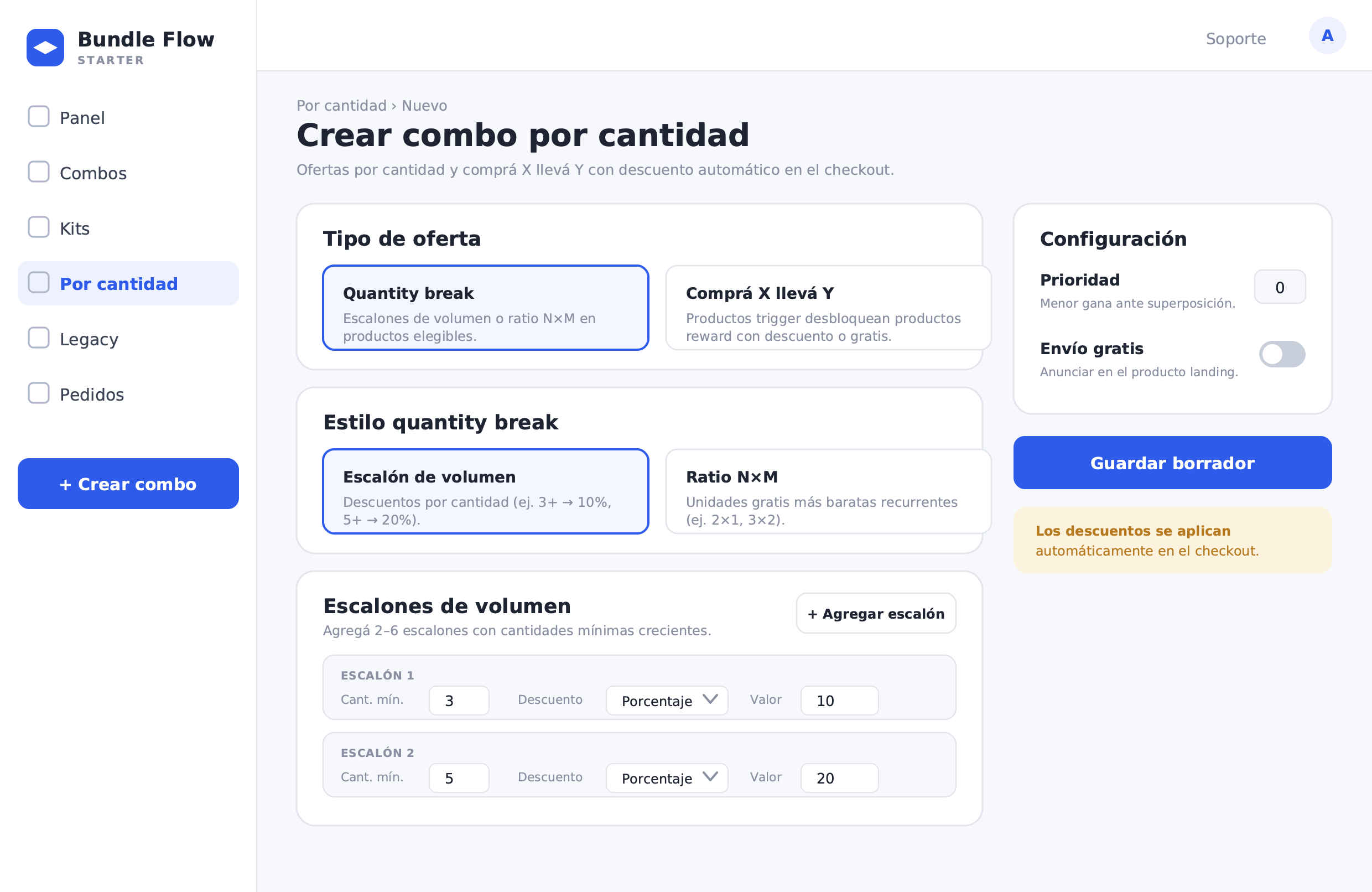
The creation flow is straightforward. The bundle starts in draft status — it is not published or active until you explicitly publish it.
- Access: By quantity menu → Create bundle (labeled BETA). Also available as an option when creating a new bundle.
- Details: bundle name (internal use) and an optional description. The customer does not see these fields.
- Offer type: choose between Quantity break or Buy X get Y.
- If you choose Quantity break: select the style — volume tier or N×M ratio.
- Eligible products: add the products that count toward the threshold. You can lock specific variants or allow all of them.
- Volume tiers (if applicable): add between 2 and 6 rows. Each row has a minimum quantity (increasing), discount type (% or fixed amount), and value.
- Additional settings: priority (lower number wins on overlaps) and free shipping option.
- Publish: save as draft and publish. Discounts apply automatically at checkout from that point on.
What to measure after activating a By quantity offer
Once the offer is live, the numbers that matter most are:
- Average units per order: does it increase after activating it?
- Revenue per session: does existing traffic generate more revenue?
- Margin per tier: is each tier's discount still profitable?
- Percentage of orders reaching each tier: if no one hits the second tier, it may be set too high or poorly communicated
- AOV lift: before/after comparison of average order value
These numbers tell you whether Combos By quantity is successfully moving volume or whether the tiers need adjustment. A well-calibrated By quantity offer increases units per order without destroying margin at the lower tiers.